Understanding CFE Electricity Bills in Mexico
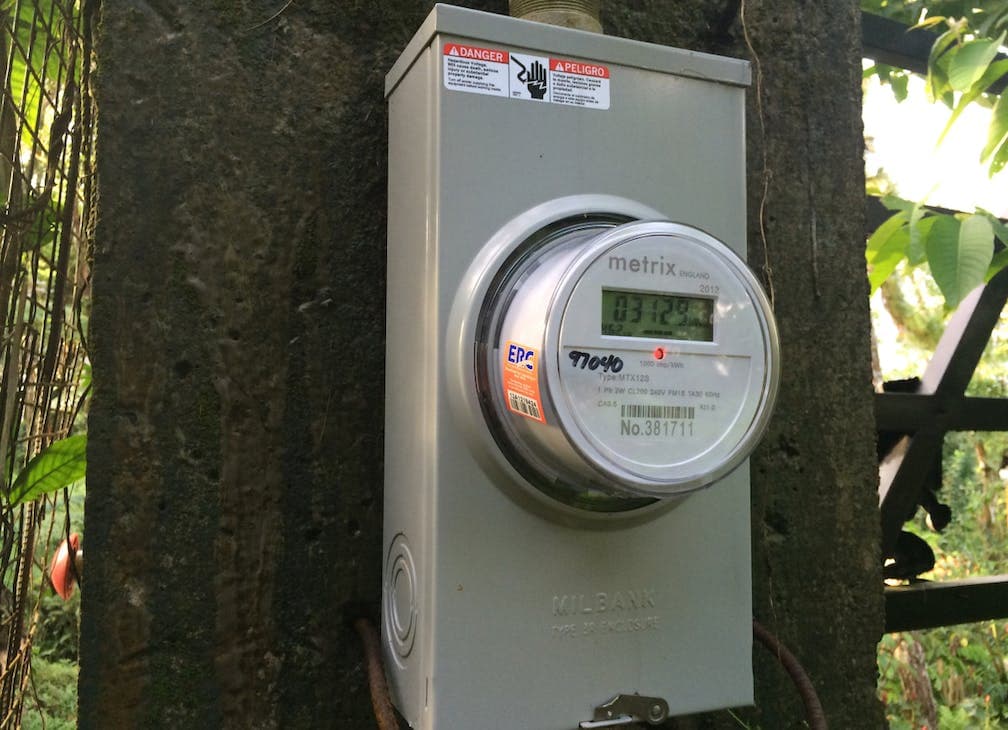
What Is CFE?
CFE (Comisión Federal de Electricidad) is Mexico's state-owned electricity company and essentially the only power provider in the country. If you have electricity in Mexico, CFE is your provider. Love them or hate them (most people lean toward the latter), understanding how CFE works will save you real money — and prevent the heart attack that comes with an unexpected $5,000+ peso bill.
How to Read Your CFE Bill
CFE bills arrive every two months (bimestral). Here's what the key sections mean:
Key Sections on Your Bill
- Número de servicio: Your account/service number — you'll need this for online payments and reporting outages
- Periodo de consumo: The billing period (two months)
- kWh consumidos: Kilowatt-hours consumed during the period — this is the number that determines your rate tier
- Tarifa: Your rate classification (residential is usually "1" or "1C" in the Yucatan Peninsula)
- Subtotal / IVA / Total: Your charges before tax, the 16% IVA tax, and the total due
- Fecha límite de pago: Payment deadline — pay before this date to avoid reconnection fees
Rate Tiers — Why Your Bill Can Suddenly Skyrocket
This is the most important thing to understand about CFE. Mexico uses a tiered rate system where the price per kWh increases dramatically as you use more electricity. The tiers are:
Residential Rate Tiers (Tarifa 1C — Quintana Roo)
| Tier | kWh Range (Bimestral) | Approximate Cost per kWh |
|---|---|---|
| Básico (Basic) | 0–150 kWh | ~$0.90 MXN |
| Intermedio bajo | 151–280 kWh | ~$1.10 MXN |
| Intermedio alto | 281–500 kWh | ~$2.80 MXN |
| Excedente (Excess) | 500+ kWh | ~$3.50 MXN |
Note: Exact rates change periodically. The Yucatan Peninsula gets slightly higher tier limits in summer months (May–October) due to extreme heat.
What a "Normal" Bill Looks Like
- Low usage (no AC, fans only): $200–$500 pesos per bimester
- Moderate usage (AC a few hours/day): $800–$1,500 pesos per bimester
- High usage (AC running most of the day): $1,500–$3,000 pesos per bimester
The DAC Tariff — The Trap That Gets Everyone
DAC stands for Doméstica de Alto Consumo (High Domestic Consumption). This is the most important concept in this entire guide.
What happens: If your average monthly consumption exceeds the regional limit (around 250 kWh/month for Quintana Roo, varying by season), CFE reclassifies your account to DAC. Once you're in DAC, you lose ALL subsidized rates and pay the full commercial rate for every single kilowatt-hour.
The result: A bill that was $1,500 pesos can suddenly jump to $5,000–$15,000 pesos — or even more. This is not an exaggeration. It happens to expats constantly, especially those running AC 24/7.
How to Check If You're in DAC
- Check your bill — look for "DAC" or "Doméstica de Alto Consumo" next to the tariff
- Check the CFE app or website — log in and view your account details
- If your bill is shockingly high compared to previous months, DAC is likely the reason
How to Get OUT of DAC
- Reduce your consumption drastically for several billing periods until your rolling average drops below the DAC threshold
- Request a meter review — sometimes meters malfunction and register higher usage than actual. Call CFE or visit an office to request a check.
- Split your service — if you have a large property, you may be able to install a second meter. Each meter gets its own tier allowance.
- Install solar panels — solar generation offsets your CFE consumption, helping you stay under the DAC threshold (more on this below)
Recovery time: It typically takes 6–12 months of reduced consumption to get reclassified out of DAC. It's much easier to avoid it than to escape it.
How to Pay Your CFE Bill
Multiple payment options, from most to least convenient:
1. CFE App (CFE Contigo)
Download the CFE Contigo app (iOS/Android). Link your service number, and you can view bills, track consumption, and pay directly with a credit/debit card. This is the easiest method.
2. CFE Website
Go to cfe.mx, log in, and pay online. The website works but can be slow and occasionally glitchy.
3. OXXO
Walk into any OXXO convenience store with your bill (or your service number written down). Tell the cashier you want to pay "CFE" and give them your service number. Pay in cash. Done. OXXO is everywhere and open 24/7.
4. Bank Transfer
You can pay through your bank's online portal or app by adding CFE as a payee using your service number. Most Mexican banks (BBVA, Santander, Banorte) support this.
5. CFE Office
Visit a CFE office in person. Expect a long wait. Only recommended if you need to discuss a billing issue or request a meter check.
Reporting Outages
Power outages happen — especially during rainy season (May–October) and hurricane season. Here's how to report them:
- CFE App: Open CFE Contigo → "Reportar falla" (Report outage). This is the fastest way.
- Phone: Call 071 from any Mexican phone line. Available 24/7. You'll navigate a Spanish menu — press options for "reportar falla" or "interrupción de servicio."
- WhatsApp: Send a message to CFE's WhatsApp at +52 55 3690 9191 with your service number and description of the issue.
Tip: During storms, outages may last hours or even days. Keep a flashlight, battery bank, and cash on hand. If the outage is prolonged (24+ hours), report it again — sometimes follow-up reports bump your ticket priority.
Setting Up a CFE Account When Moving In
When you move into a new place, you need to transfer the CFE account to your name (or confirm it's in the landlord's name and included in rent):
If You Need Your Own Account
- Visit the nearest CFE office with:
- Your ID (passport or resident card)
- CURP (if you have it)
- Rental contract or proof of address
- Previous tenant's last bill (if available — helps expedite)
- Fill out the change-of-holder form
- Pay any outstanding balance from the previous tenant (or dispute it — bring documentation)
- Your new account should be active within a few days
If CFE Is Included in Your Rent
Many furnished rentals include electricity in the rent, but with a consumption cap (e.g., "up to $1,500 pesos per bimester included — excess charged separately"). Clarify this with your landlord before signing. Running AC all day can easily push past these caps.
Energy-Saving Tips for Tropical Living
Keeping your bill manageable in a tropical climate takes some strategy:
- Set AC to 24–25°C (75–77°F). Every degree lower costs significantly more. 24°C is comfortable for sleeping.
- Use ceiling fans. Fans use a fraction of the electricity of AC. Use fans during the day, AC only at night for sleeping.
- Close windows and doors when AC is running. Sounds obvious, but open-plan living and the habit of leaving doors open wastes massive energy.
- Use LED bulbs. Replace any incandescent bulbs — the savings add up fast.
- Window tinting. Solar film on windows reduces heat entering your apartment, meaning less work for your AC. Costs $1,000–$3,000 pesos depending on the size of windows.
- Use a timer or smart plug for AC. Set your AC to turn off automatically after you fall asleep. 4–5 hours of overnight AC is usually enough.
- Unplug electronics when not in use. Phantom power draw from TV, router, chargers adds up over a bimester.
- Run your dehumidifier strategically. Dehumidifiers reduce the load on your AC, but they also consume power. Run them during peak humidity hours, not 24/7.
Solar Panels — Worth It?
Solar is increasingly popular in the Riviera Maya. Here's the quick math:
- Installation cost: $60,000–$150,000 pesos for a typical residential system (3–6 kW)
- ROI: Most systems pay for themselves in 3–5 years, especially if you're in or near DAC territory
- Net metering: CFE offers "medición neta" (net metering) — solar energy you generate during the day offsets what you consume at night. Excess production carries over as credits.
- Maintenance: Minimal — occasional panel cleaning and inverter checks
Best candidates for solar: Homeowners (not renters), properties with roof access and good sun exposure, anyone consistently hitting high consumption tiers or DAC.
Several solar installers operate in the Playa del Carmen area. Get at least 3 quotes and ask for references from other expat clients.
Quick Reference
| Task | How |
|---|---|
| Pay your bill | CFE app, OXXO, bank transfer, cfe.mx |
| Report an outage | CFE app, call 071, WhatsApp +52 55 3690 9191 |
| Check if you're in DAC | Check bill for "DAC" label or check CFE app |
| Transfer account | Visit CFE office with ID + rental contract |
| Avoid DAC | Stay under ~500 kWh/bimester, use AC wisely |
Getting your CFE sorted is one of the first things to do when moving in. For the complete setup guide, check our Moving to Playa del Carmen Checklist. And if you haven't set up your CURP yet (you'll need it for the CFE account), here's our CURP & RFC Guide.